Bandit Lv 1-20
Bandit adalah salah satu kategori wargames yang ada di OverTheWire disini kita akan banyak belajar mengenai command command linux
Tantangan ini banyak meggunakan SSH
Username yang digunakan menyesuaikan dengan level yang dituju contoh:
level 1 = bandit1
level 2 = bandit2
untuk password dapat ditemukan dari tantangan di level sebelumnya
Level 0
Untuk menyelesaikan level, kamu perlu mengkoneksikan dengan server bandit menggunakan SSH
ssh username@host -p portpassword yang telah di beri untuk level0 bandit0
❯ ssh bandit0@bandit.labs.overthewire.org -p 2220
The authenticity of host '[bandit.labs.overthewire.org]:2220 ([51.21.210.216]:2220)' can't be established.
ED25519 key fingerprint is: SHA256:C2ihUBV7ihnV1wUXRb4RrEcLfXC5CXlhmAAM/urerLY
This key is not known by any other names.
Are you sure you want to continue connecting (yes/no/[fingerprint])? yes
Warning: Permanently added '[bandit.labs.overthewire.org]:2220' (ED25519) to the list of known hosts.
                         _                     _ _ _
                        | |__   __ _ _ __   __| (_) |_
                        | '_ \ / _` | '_ \ / _` | | __|
                        | |_) | (_| | | | | (_| | | |_
                        |_.__/ \__,_|_| |_|\__,_|_|\__|


                      This is an OverTheWire game server.
            More information on http://www.overthewire.org/wargames

backend: gibson-1
bandit0@bandit.labs.overthewire.org's password:

Welcome to OverTheWire!

bandit0@bandit:~$
The password for the next level is stored in a file called readme located in the home directory. Use this password to log into bandit1 using SSH. Whenever you find a password for a level, use SSH (on port 2220) to log into that level and continue the game.
untuk menyelesaikannya kita hanya perlu menggunakan
- ls = melihat list file
- cat = melihat isi file
bandit0@bandit:~$ ls
readme
bandit0@bandit:~$ cat readme
Congratulations on your first steps into the bandit game!!
Please make sure you have read the rules at https://overthewire.org/rules/
If you are following a course, workshop, walkthrough or other educational activity,
please inform the instructor about the rules as well and encourage them to
contribute to the OverTheWire community so we can keep these games free!

The password you are looking for is: ZjLjTmM6FvvyRnrb2rfNWOZOTa6ip5If
ini adalah password SSH untuk ke level selanjutnya ZjLjTmM6FvvyRnrb2rfNWOZOTa6ip5If
Level 1
The password for the next level is stored in a file called - located in the home directory
❯ ssh bandit1@bandit.labs.overthewire.org -p 2220

bandit1@bandit:~$ cat ./-
263JGJPfgU6LtdEvgfWU1XP5yac29mFx
bandit1@bandit:~$
jika nama file diawali dengan simbol, di linux kita bisa menambahkan
./ agar shell tidak salah mengira simbol yang ada di nama file memiliki arti lain
Level 2
The password for the next level is stored in a file called --spaces in this filename-- located in the home directory
❯ ssh bandit2@bandit.labs.overthewire.org -p 2220

bandit2@bandit:~$ ls
--spaces in this filename--
bandit2@bandit:~$ cat ./--spaces\ in\ this\ filename--
MNk8KNH3Usiio41PRUEoDFPqfxLPlSmx
file di level ini memiliki simbol diawal namanya dan juga ada spasi, sehingga kita bisa menggunakan ./ untuk simbolnya, kemudian menggunakan \ untuk setiap spasi yang ada
Level 3
The password for the next level is stored in a hidden file in the inhere directory.
❯ ssh bandit3@bandit.labs.overthewire.org -p 2220

bandit3@bandit:~$ ls
inhere
bandit3@bandit:~$ cd inhere
bandit3@bandit:~/inhere$ ls
bandit3@bandit:~/inhere$ ls -la
total 12
drwxr-xr-x 2 root    root    4096 Oct 14 09:26 .
drwxr-xr-x 3 root    root    4096 Oct 14 09:26 ..
-rw-r----- 1 bandit4 bandit3   33 Oct 14 09:26 ...Hiding-From-You
bandit3@bandit:~/inhere$ cat ...Hiding-From-You
2WmrDFRmJIq3IPxneAaMGhap0pFhF3NJ
di linux file yang berawalan . akan disembunyikan, jika kita hanya mencoba ls file tersebut tidak akan muncul, kita perlu menambahkan -la untuk melihat semua folder/file tersembunyi tersebut
Level 4
The password for the next level is stored in the only human-readable file in the inhere directory. Tip: if your terminal is messed up, try the “reset” command.
❯ ssh bandit4@bandit.labs.overthewire.org -p 2220

bandit4@bandit:~$ ls
inhere
bandit4@bandit:~$ cd inhere
bandit4@bandit:~/inhere$ ls -la
total 48
drwxr-xr-x 2 root    root    4096 Oct 14 09:26 .
drwxr-xr-x 3 root    root    4096 Oct 14 09:26 ..
-rw-r----- 1 bandit5 bandit4   33 Oct 14 09:26 -file00
-rw-r----- 1 bandit5 bandit4   33 Oct 14 09:26 -file01
-rw-r----- 1 bandit5 bandit4   33 Oct 14 09:26 -file02
-rw-r----- 1 bandit5 bandit4   33 Oct 14 09:26 -file03
-rw-r----- 1 bandit5 bandit4   33 Oct 14 09:26 -file04
-rw-r----- 1 bandit5 bandit4   33 Oct 14 09:26 -file05
-rw-r----- 1 bandit5 bandit4   33 Oct 14 09:26 -file06
-rw-r----- 1 bandit5 bandit4   33 Oct 14 09:26 -file07
-rw-r----- 1 bandit5 bandit4   33 Oct 14 09:26 -file08
-rw-r----- 1 bandit5 bandit4   33 Oct 14 09:26 -file09
bandit4@bandit:~/inhere$ file ./-file0*
./-file00: data
./-file01: data
./-file02: data
./-file03: data
./-file04: data
./-file05: data
./-file06: data
./-file07: ASCII text
./-file08: data
./-file09: data
bandit4@bandit:~/inhere$ cat ./-file07
4oQYVPkxZOOEOO5pTW81FB8j8lxXGUQw
di linux kita bisa menggunakan syntax file untuk melihat tipe dari suatu file, kemudian kita bisa menambahkan wildcard dibagian akhir nama -file0 * agar secara otomatis membaca file yang memiliki pola nama yang sama yaitu berawalan -file0
dari syntax tersebut dapat diketahui hanya ada 1 file yang bertipe ASCII text, dimana ASCII hanya terdiri dari angka, huruf, simbol biasa, yang dapat dibaca manusia
Level 5
The password for the next level is stored in a file somewhere under the inhere directory and has all of the following properties:
human-readable
1033 bytes in size
not executable
❯ ssh bandit5@bandit.labs.overthewire.org -p 2220

bandit5@bandit:~$ ls
inhere
bandit5@bandit:~$ cd inhere/
bandit5@bandit:~/inhere$ ls
maybehere00  maybehere02  maybehere04  maybehere06  maybehere08  maybehere10  maybehere12  maybehere14  maybehere16  maybehere18
maybehere01  maybehere03  maybehere05  maybehere07  maybehere09  maybehere11  maybehere13  maybehere15  maybehere17  maybehere19
bandit5@bandit:~/inhere$ find ./ -type f -readable ! -executable -size 1033c
./maybehere07/.file2
bandit5@bandit:~/inhere$ cat ./maybehere07/.file2
HWasnPhtq9AVKe0dmk45nxy20cvUa6EG
di linux ada syntax yang sangat berguna jika kita ingin mencari file dengan spesifik yaitu find disini saya menggunakan beberapa parameter di command tersebut :
c = bytes dengan syntax tersebut dapat diketahui bahwa ada 1 file yang memenuhi kriteria yaitu ./maybehere07/.file2
Level 6
The password for the next level is stored somewhere on the server and has all of the following properties:
owned by user bandit7
owned by group bandit6
33 bytes in size
❯ ssh bandit6@bandit.labs.overthewire.org -p 2220

bandit6@bandit:~$ ls
bandit6@bandit:~$ ls -la
total 20
drwxr-xr-x   2 root root 4096 Oct 14 09:25 .
drwxr-xr-x 150 root root 4096 Oct 14 09:29 ..
-rw-r--r--   1 root root  220 Mar 31  2024 .bash_logout
-rw-r--r--   1 root root 3851 Oct 14 09:19 .bashrc
-rw-r--r--   1 root root  807 Mar 31  2024 .profile
bandit6@bandit:~$ find / -type f -size 33c -group bandit6 -user bandit7 2>&1 | grep -v "Permission denied"
find: ‘/proc/19/task/19/fdinfo/6’: No such file or directory
find: ‘/proc/19/fdinfo/5’: No such file or directory
/var/lib/dpkg/info/bandit7.password
bandit6@bandit:~$ cat /var/lib/dpkg/info/bandit7.password
morbNTDkSW6jIlUc0ymOdMaLnOlFVAaj
dapat dilihat sebelumnya saya telah mencoba menggunakan ls -la namun hasil yang keluar bukanlah file yang kita inginkan, sehingga disini kita bisa menggunakan syntax find lagi seperti level sebelumnya, dengan beberapa parameter:
c = bytes Permission denied akan dialihkan ke pipe| dan kemudian diteruskan ke grep -v ini berfungsi untuk menampilkan semua output kecuali Permission deniedfind / -type f -size 33c -group bandit6 -user bandit7 2>&1 | grep -v "Permission denied"Level 7
The password for the next level is stored in the file data.txt next to the word millionth
❯ ssh bandit7@bandit.labs.overthewire.org -p 2220

bandit7@bandit:~$ ls
data.txt
bandit7@bandit:~$ cat data.txt | grep "millionth"
millionth	dfwvzFQi4mU0wfNbFOe9RoWskMLg7eEc
disini data.txt berisi banyak sekali kata dan dari soal dapat diketahui bahwa password berada setelah kata millionth sehingga kita bisa menggunakan grep untuk memfilter output, yang hanya mengandung kata millionth
Level 8
The password for the next level is stored in the file data.txt and is the only line of text that occurs only once
bandit8@bandit:~$ ls
data.txt
bandit8@bandit:~$ sort data.txt | uniq -c | grep "1 "
      1 4CKMh1JI91bUIZZPXDqGanal4xvAg0JM
     ......
sesuai clue bahwa password hanya muncul satu kali di file tersebut, atau bisa dikatan memiliki keunikan, jadi kita bisa menggunakan
sort data.txt | uniq -c | grep "1 " lihat tab dibawah untuk penjelasan masing masing syntax:
data.txt karena syntax uniq hanya bekerja pada baris yang urutuniq untuk menghapus baris yang sama/duplikat, -c untuk menghitung jumlah kemunculanuniq -c dimana akan muncul output hasil perhitungan jumlah kemunculan, kita bisa grep angka 1, dimana itu artinya kita mencari kata yang hanya muncul 1 kaliLevel 9
The password for the next level is stored in the file data.txt in one of the few human-readable strings, preceded by several ‘=’ characters.
❯ ssh bandit9@bandit.labs.overthewire.org -p 2220

bandit9@bandit:~$ ls
data.txt
bandit9@bandit:~$ strings data.txt | grep "=="
========== the
========== password
E========== is
5========== FGUW5ilLVJrxX9kMYMmlN4MgbpfMiqey
sesuai soal dapat diketahui bahwa soal berada di strings yang dapat dibaca manusia, dan diawali dengan beberapa simbol =
jadi untuk menemukannya kita bisa menggunakan syntax strings untuk mengeluarkan output strings yang dapat dibaca manusia kemudian diikuti dengan grep "==" untuk mencari simbol = yang lebih dari 1
Level 10
The password for the next level is stored in the file data.txt, which contains base64 encoded data
❯ ssh bandit10@bandit.labs.overthewire.org -p 2220

bandit10@bandit:~$ ls
data.txt
bandit10@bandit:~$ cat data.txt
VGhlIHBhc3N3b3JkIGlzIGR0UjE3M2ZaS2IwUlJzREZTR3NnMlJXbnBOVmozcVJyCg==
bandit10@bandit:~$ cat data.txt | base64 -d
The password is 2
di level ini kita akan belajar mengenai cryptography, dimana password yang tersimpan di file data.txt telah di encode
encode adalah proses dimana sebuah data diubah ke format lain agar mudah digunakan atau dikirim
data yang ada di level ini memiliki simbol = dua kali dan diawali dengan huruf besar ini merupakan ciri-ciri dari format encoding base64
untuk mengembalikan data tersebut ke format aslinya, kita bisa menambahkan pipe dan format encodingnya di syntax | base64 -d
-d mengartikan decode yang merupakan istilah proses mengembalikan data yang telah di encode ke bentuk semula
Level 11
The password for the next level is stored in the file data.txt, where all lowercase (a-z) and uppercase (A-Z) letters have been rotated by 13 positions
❯ ssh bandit11@bandit.labs.overthewire.org -p 2220

bandit11@bandit:~$ ls
data.txt
bandit11@bandit:~$ cat data.txt | tr 'A-Za-z' 'N-ZA-Mn-za-m'
The password is 7x16WNeHIi5YkIhWsfFIqoognUTyj9Q4
di level ini kita belajar mengenai cryptography lagi, kali ini kita berfokus pada salah satu metode enkripsi paling sederhana yaitu rot13, dapat diketahui dari soal ada (rotated by 13 positions)
enkripsi adalah metode untuk melindungi data sensitif agar tidak bisa dibaca oleh pihak tidak berwenang
metode ini menggunakan pergeseran sebanyak 13 karakter, jika menggunakan metode ini maka A = N | B = O dan seterusnya
untuk mengembalikan/mendekripsi ke bentuk aslinya kita bisa menggunakan syntax tr 'A-Za-z' 'N-ZA-Mn-za-m' di linux
dimana fungsi syntax tr (translate) adalah untuk mengganti karakter sesuai yang kita ingin
dimana di level ini kita mengganti A-Za-z huruf A sampai Z baik yang besar/kecil ke mapping rot13 N-ZA-Mn-za-m
Level 12
The password for the next level is stored in the file data.txt, which is a hexdump of a file that has been repeatedly compressed. For this level it may be useful to create a directory under /tmp in which you can work. Use mkdir with a hard to guess directory name. Or better, use the command “mktemp -d”. Then copy the datafile using cp, and rename it using mv (read the manpages!)
❯ ssh bandit12@bandit.labs.overthewire.org -p 2220

# Buat folder baru sementara
bandit12@bandit:~$ mkdir /tmp/ax
bandit12@bandit:~$ cp data.txt /tmp/ax
bandit12@bandit:~$ cd /tmp/ax
# Convert hexdump ke binary
bandit12@bandit:/tmp/ax$ xxd -r data.txt data.out
bandit12@bandit:/tmp/ax$ file data.out
data.out: gzip compressed data, was "data2.bin", last modified: Tue Oct 16 12:00:23 2018, max compression, from Unix
bandit12@bandit:/tmp/ax$ mv data.out data.gz
bandit12@bandit:/tmp/ax$ gzip -d data.gz
bandit12@bandit:/tmp/ax$ file data
data: bzip2 compressed data, block size = 900k
bandit12@bandit:/tmp/ax$ bzip2 -d data
bzip2: Can\'t guess original name for data -- using data.out
bandit12@bandit:/tmp/ax$ file data.out
data.out: gzip compressed data, was "data4.bin", last modified: Tue Oct 16 12:00:23 2018, max compression, from Unix
bandit12@bandit:/tmp/ax$ mv data.out data.gz
bandit12@bandit:/tmp/ax$ gzip -d data.gz
bandit12@bandit:/tmp/ax$ file data
data: POSIX tar archive (GNU)
bandit12@bandit:/tmp/ax$ tar -xf data
bandit12@bandit:/tmp/ax$ file data5.bin
data5.bin: POSIX tar archive (GNU)
bandit12@bandit:/tmp/ax$ tar -xf data5.bin
bandit12@bandit:/tmp/ax$ file data6.bin
data6.bin: bzip2 compressed data, block size = 900k
bandit12@bandit:/tmp/ax$ bzip2 -d data6.bin
bzip2: Can\'t guess original name for data6.bin -- using data6.bin.out
bandit12@bandit:/tmp/ax$ file data6.bin.out
data6.bin.out: POSIX tar archive (GNU)
bandit12@bandit:/tmp/ax$ tar -xf data6.bin.out
bandit12@bandit:/tmp/ax$ file data8.bin
data8.bin: gzip compressed data, was "data9.bin", last modified: Tue Oct 16 12:00:23 2018, max compression, from Unix
bandit12@bandit:/tmp/ax$ mv data8.bin data8.gz
bandit12@bandit:/tmp/ax$ gzip -d data8.gz
# ulangi terus sampai tipe data file tersebut menjadi ASCII
bandit12@bandit:/tmp/ax$ file data8
data8: ASCII text
bandit12@bandit:/tmp/ax$ cat data8
The password is FO5dwFsc0cbaIiH0h8J2eUks2vdTDwAn
syntax -r pada xxd digunakan untuk mengembalikan hexdump menjadi file biner aslinya. Setelah file berhasil dipulihkan, kita menggunakan syntax file untuk mengidentifikasi jenis file berdasarkan signature-nya (magic bytes). Karena file tersebut dikompresi berkali-kali, kita harus mengeceknya berulang kali dan mengekstraknya dengan tool seperti gzip, bzip2, atau tar, sampai akhirnya diperoleh file ASCII yang berisi password.
Level 13
The password for the next level is stored in /etc/bandit_pass/bandit14 and can only be read by user bandit14. For this level, you don’t get the next password, but you get a private SSH key that can be used to log into the next level. Look at the commands that logged you into previous bandit levels, and find out how to use the key for this level.
❯ ssh bandit13@bandit.labs.overthewire.org -p 2220

bandit13@bandit:~$ ls -la
total 24
drwxr-xr-x   2 root     root     4096 Oct 14 09:26 .
drwxr-xr-x 150 root     root     4096 Oct 14 09:29 ..
-rw-r--r--   1 root     root      220 Mar 31  2024 .bash_logout
-rw-r--r--   1 root     root     3851 Oct 14 09:19 .bashrc
-rw-r--r--   1 root     root      807 Mar 31  2024 .profile
-rw-r-----   1 bandit14 bandit13 1679 Oct 14 09:26 sshkey.private
bandit13@bandit:~$ exit
logout
Connection to bandit.labs.overthewire.org closed.
❯ scp -P 2220 bandit13@bandit.labs.overthewire.org:sshkey.private .
bandit13@bandit.labs.overthewire.org's password:
sshkey.private                        100% 1679     2.4KB/s   00:00    \
❯ chmod 400 sshkey.private

❯ ssh -i sshkey.private bandit14@bandit.labs.overthewire.org -p 2220
di level ini password tidak disimpan dalam file/kata seperti level sebelumnya, melainkan disimpan langsung di dalam sshkey.private yang bisa langsung digunakan untuk login
jadi starteginya kita tinggal ambil sshkey.private menggunakan scp
scp(secure copy) untuk mencopy file via SSH
-P 2220→ port SSH-nya (OverTheWire pakai 2220)bandit13@bandit.labs.overthewire.org→ user & hostsshkey.private→ file yang mau diambil.→ simpan di folder lokal sekarang
selanjutnya kita ubah permision file tersebut, agar sesuai dengan standar keamanan SSH private keychmod 400 sshkey.privateini artinya owner bisa baca tapi orang lain tidak bisa melakukan apa apa ke file tersebut
setelahnya kita hanya tinggal masuk ke level selanjutnya dengan private key tadissh -i sshkey.private bandit14@bandit.labs.overthewire.org -p 2220dimana-iuntuk menandakan bahwa kita pakai private key untuk autentikasi
Level 14
The password for the next level can be retrieved by submitting the password of the current level to port 30000 on localhost.
❯ ssh -i sshkey.private bandit14@bandit.labs.overthewire.org -p 2220

bandit14@bandit:~$ cat /etc/bandit_pass/bandit14 | nc localhost 30000
Correct!
8xCjnmgoKbGLhHFAZlGE5Tmu4M2tKJQo
di level ini kita diharuskan menggunakan password level ini ke port 30000 localhost, seperti yang diketahui dari soal sebelumnya, bahwa password dari level 14 ini disimpan di /etc/bandit_pass/bandit14
maka kita akan gunakan netcat nc untuk menemukan password level selanjutnya
nc (netcat) adalah tool di Unix yang dapat membaca dan menuliskan data melalui jaringan, menggunakan protokol TCP atau UDP
cara menggunakan nc adalah seperti berikut : ```nc host port````
disini kita juga menggunakan cat diawal, unutuk mengeluarkan output dari file /etc/bandit_pass/bandit14 dan kemudian dikirim otomatis ke netcatnya, jika tanpa pipe | dan cat akan seperti ini:
bandit14@bandit:~$ cat /etc/bandit_pass/bandit14
MU4VWeTyJk8ROof1qqmcBPaLh7lDCPvS
bandit14@bandit:~$ nc localhost 30000
MU4VWeTyJk8ROof1qqmcBPaLh7lDCPvS
Correct!
8xCjnmgoKbGLhHFAZlGE5Tmu4M2tKJQo
Level 15
The password for the next level can be retrieved by submitting the password of the current level to port 30001 on localhost using SSL/TLS encryption.
Helpful note: Getting “DONE”, “RENEGOTIATING” or “KEYUPDATE”? Read the “CONNECTED COMMANDS” section in the manpage.
❯ ssh bandit15@bandit.labs.overthewire.org -p 2220

bandit15@bandit:~$ cat /etc/bandit_pass/bandit15 | openssl s_client -connect localhost:30001 -quiet
Can't use SSL_get_servername
depth=0 CN = SnakeOil
verify error:num=18:self-signed certificate
verify return:1
depth=0 CN = SnakeOil
verify return:1
Correct!
kSkvUpMQ7lBYyCM4GBPvCvT1BfWRy0Dx
Pada level ini kita diminta untuk mengirimkan password level saat ini ke sebuah service yang berjalan di port 30001 pada localhost.
Berbeda dengan level sebelumnya yang menggunakan koneksi TCP biasa, kali ini service tersebut menggunakan SSL/TLS encryption.
Seperti yang diketahui dari level sebelumnya, password untuk bandit15 tersimpan di /etc/bandit_pass/bandit15
Karena koneksi yang diminta menggunakan SSL, maka kita tidak bisa lagi menggunakan nc (netcat) seperti sebelumnya. Jika tetap menggunakan nc, koneksi akan gagal karena server mengharapkan proses TLS handshake terlebih dahulu.
Untuk terhubung ke service yang menggunakan SSL/TLS, kita dapat menggunakan openssl s_client cara dasarnya seperti berikut:
openssl s_client -connect host:portKarena password berada di dalam file /etc/bandit_pass/bandit15, maka kita perlu:
- Mengambil isi file tersebut seperti level sebelumnya
- Mengirimkannya melalui koneksi SSL ke port 30001
cat /etc/bandit_pass/bandit15 | openssl s_client -connect localhost:30001 -quiet-quiet disini berfungsi untuk mengurangi output debug seperti informasi sertifikat dan detail handshake, sehingga hanya menampilkan respons dari server.
Level 16
The credentials for the next level can be retrieved by submitting the password of the current level to a port on localhost in the range 31000 to 32000. First find out which of these ports have a server listening on them. Then find out which of those speak SSL/TLS and which don’t. There is only 1 server that will give the next credentials, the others will simply send back to you whatever you send to it.
Helpful note: Getting “DONE”, “RENEGOTIATING” or “KEYUPDATE”? Read the “CONNECTED COMMANDS” section in the manpage.
❯ ssh bandit16@bandit.labs.overthewire.org -p 2220

bandit16@bandit:~$ nmap -p 31000-32000 localhost
Starting Nmap 7.94SVN ( https://nmap.org ) at 2026-02-19 03:42 UTC
Nmap scan report for localhost (127.0.0.1)
Host is up (0.00012s latency).
Not shown: 996 closed tcp ports (conn-refused)
PORT      STATE SERVICE     VERSION
31046/tcp open  echo
31518/tcp open  ssl/echo
31691/tcp open  echo
31790/tcp open  ssl/unknown
31960/tcp open  echo

Nmap done: 1 IP address (1 host up) scanned in 145.11 seconds

bandit16@bandit:~$ cat /etc/bandit_pass/bandit16 | openssl s_client -connect localhost:31790 -quiet
Can't use SSL_get_servername
depth=0 CN = SnakeOil
verify error:num=18:self-signed certificate
verify return:1
depth=0 CN = SnakeOil
verify return:1
Correct!
-----BEGIN RSA PRIVATE KEY-----
MIIEogIBAAKCAQEAvmOkuifmMg6HL2YPIOjon6iWfbp7c3jx34YkYWqUH57SUdyJ
imZzeyGC0gtZPGujUSxiJSWI/oTqexh+cAMTSMlOJf7+BrJObArnxd9Y7YT2bRPQ
Ja6Lzb558YW3FZl87ORiO+rW4LCDCNd2lUvLE/GL2GWyuKN0K5iCd5TbtJzEkQTu
DSt2mcNn4rhAL+JFr56o4T6z8WWAW18BR6yGrMq7Q/kALHYW3OekePQAzL0VUYbW
JGTi65CxbCnzc/w4+mqQyvmzpWtMAzJTzAzQxNbkR2MBGySxDLrjg0LWN6sK7wNX
x0YVztz/zbIkPjfkU1jHS+9EbVNj+D1XFOJuaQIDAQABAoIBABagpxpM1aoLWfvD
KHcj10nqcoBc4oE11aFYQwik7xfW+24pRNuDE6SFthOar69jp5RlLwD1NhPx3iBl
J9nOM8OJ0VToum43UOS8YxF8WwhXriYGnc1sskbwpXOUDc9uX4+UESzH22P29ovd
d8WErY0gPxun8pbJLmxkAtWNhpMvfe0050vk9TL5wqbu9AlbssgTcCXkMQnPw9nC
YNN6DDP2lbcBrvgT9YCNL6C+ZKufD52yOQ9qOkwFTEQpjtF4uNtJom+asvlpmS8A
vLY9r60wYSvmZhNqBUrj7lyCtXMIu1kkd4w7F77k+DjHoAXyxcUp1DGL51sOmama
+TOWWgECgYEA8JtPxP0GRJ+IQkX262jM3dEIkza8ky5moIwUqYdsx0NxHgRRhORT
8c8hAuRBb2G82so8vUHk/fur85OEfc9TncnCY2crpoqsghifKLxrLgtT+qDpfZnx
SatLdt8GfQ85yA7hnWWJ2MxF3NaeSDm75Lsm+tBbAiyc9P2jGRNtMSkCgYEAypHd
HCctNi/FwjulhttFx/rHYKhLidZDFYeiE/v45bN4yFm8x7R/b0iE7KaszX+Exdvt
SghaTdcG0Knyw1bpJVyusavPzpaJMjdJ6tcFhVAbAjm7enCIvGCSx+X3l5SiWg0A
R57hJglezIiVjv3aGwHwvlZvtszK6zV6oXFAu0ECgYAbjo46T4hyP5tJi93V5HDi
Ttiek7xRVxUl+iU7rWkGAXFpMLFteQEsRr7PJ/lemmEY5eTDAFMLy9FL2m9oQWCg
R8VdwSk8r9FGLS+9aKcV5PI/WEKlwgXinB3OhYimtiG2Cg5JCqIZFHxD6MjEGOiu
L8ktHMPvodBwNsSBULpG0QKBgBAplTfC1HOnWiMGOU3KPwYWt0O6CdTkmJOmL8Ni
blh9elyZ9FsGxsgtRBXRsqXuz7wtsQAgLHxbdLq/ZJQ7YfzOKU4ZxEnabvXnvWkU
YOdjHdSOoKvDQNWu6ucyLRAWFuISeXw9a/9p7ftpxm0TSgyvmfLF2MIAEwyzRqaM
77pBAoGAMmjmIJdjp+Ez8duyn3ieo36yrttF5NSsJLAbxFpdlc1gvtGCWW+9Cq0b
dxviW8+TFVEBl1O4f7HVm6EpTscdDxU+bCXWkfjuRb7Dy9GOtt9JPsX8MBTakzh3
vBgsyi/sN3RqRBcGU40fOoZyfAMT8s1m/uYv52O6IgeuZ/ujbjY=
-----END RSA PRIVATE KEY-----
Pada level ini kita diberitahu bahwa terdapat sebuah service yang berjalan di antara port 31000–32000 pada localhost. Salah satu dari port tersebut menggunakan SSL/TLS dan akan memberikan private key apabila kita mengirimkan password yang benar.
Karena tidak diketahui port mana yang aktif, maka kita lakukan scanning port yang terbuka terlebih dahulu, menggunakan nmap:
nmap -sV localhost -p 31000-32000outputnya menghasilkan port-port yang terbuka pada rentang yang kita cari tadi, dan juga akan ada rincian service dari masing masing port, selanjutnya kita tinggal hubungkan saja dengan port SSL tersebut seperti level sebelumnya:
cat /etc/bandit_pass/bandit16 | openssl s_client -connect localhost:31790 -quietdari situ kita akan menemukan private key RSA
Level 17
untuk mengkoneksikan ke level ini, kita perlu menyimpan private key yang ditemukan dari Level 16, kedalam sebuah file, dan mengatur permission file tersebut seperti yang ada pada level 13
❯ nano privatekey

❯ chmod 400 privatekey
❯ ssh -i privatekey bandit17@bandit.labs.overthewire.org -p 2220

bandit17@bandit:~$
There are 2 files in the homedirectory: passwords.old and passwords.new. The password for the next level is in passwords.new and is the only line that has been changed between passwords.old and passwords.new
NOTE: if you have solved this level and see ‘Byebye!’ when trying to log into bandit18, this is related to the next level, bandit19
bandit17@bandit:~$ ls
passwords.new  passwords.old
bandit17@bandit:~$ diff passwords.new passwords.old
42c42
< x2gLTTjFwMOhQ8oWNbMN362QKxfRqGlO
---
> BMIOFKM7CRSLI97voLp3TD80NAq5exxk
sesuai dengan soal Password untuk level berikutnya ada di passwords.new dan merupakan satu-satunya baris yang berbeda dibanding passwords.old
maka kita bisa menggunakan diff untuk membandingkan dua file dan menampilkan bagian yang berbeda, sehingga ditemukan, bagian yang berbeda di passwords.new adalah
x2gLTTjFwMOhQ8oWNbMN362QKxfRqGlOLevel 18
The password for the next level is stored in a file readme in the homedirectory. Unfortunately, someone has modified .bashrc to log you out when you log in with SSH.
❯ ssh bandit18@bandit.labs.overthewire.org -p 2220 ls
                         _                     _ _ _
                        | |__   __ _ _ __   __| (_) |_
                        | '_ \ / _` | '_ \ / _` | | __|
                        | |_) | (_| | | | | (_| | | |_
                        |_.__/ \__,_|_| |_|\__,_|_|\__|


                      This is an OverTheWire game server.
            More information on http://www.overthewire.org/wargames

backend: gibson-0
bandit18@bandit.labs.overthewire.org's password:
readme

❯ ssh bandit18@bandit.labs.overthewire.org -p 2220 cat readme
                         _                     _ _ _
                        | |__   __ _ _ __   __| (_) |_
                        | '_ \ / _` | '_ \ / _` | | __|
                        | |_) | (_| | | | | (_| | | |_
                        |_.__/ \__,_|_| |_|\__,_|_|\__|


                      This is an OverTheWire game server.
            More information on http://www.overthewire.org/wargames

backend: gibson-0
bandit18@bandit.labs.overthewire.org's password:
cGWpMaKXVwDUNgPAVJbWYuGHVn9zl3j8
di level ini, setelah kita memasukan password yang benar, maka koneksi kita akan terputus, sehingga kita bisa langsung menggunakan command yang ingin kita gunakan sebelum memasukan password, dengan menambahkannya di bagian belakang syntax SSH
Level 19
To gain access to the next level, you should use the setuid binary in the homedirectory. Execute it without arguments to find out how to use it. The password for this level can be found in the usual place (/etc/bandit_pass), after you have used the setuid binary.
❯ ssh bandit19@bandit.labs.overthewire.org -p 2220

bandit19@bandit:~$ ls
bandit20-do
bandit19@bandit:~$ ./bandit20-do
Run a command as another user.
  Example: ./bandit20-do whoami
bandit19@bandit:~$ ./bandit20-do whoami
bandit20
bandit19@bandit:~$ ./bandit20-do cat /etc/bandit_pass/bandit20
0qXahG8ZjOVMN9Ghs7iOWsCfZyXOUbYO
dari soal dapat diketahui bahwa ada satu file executable dan password untuk ke level selanjutnya tersimpan di /etc/bandit_pass
dan dari percobaan dengan command whoami dapat diketahui bahwa binary ini adalah user bandit20 sehingga kita bisa melihat password bandit20 juga menggunakan binary tersebut cat /etc/bandit_pass/bandit20
Level 20
There is a setuid binary in the homedirectory that does the following: it makes a connection to localhost on the port you specify as a commandline argument. It then reads a line of text from the connection and compares it to the password in the previous level (bandit20). If the password is correct, it will transmit the password for the next level (bandit21).
NOTE: Try connecting to your own network daemon to see if it works as you think
setelah masuk kedalam server dengan ssh, selanjutnya jalankan perintah tmux
tmux (Terminal Multiplexer) adalah tool di Linux yang memungkinkan kamu menjalankan banyak sesi terminal dalam satu window dan tetap berjalan walaupun koneksi terputus (misalnya SSH ke server).
bandit20@bandit:~$ tmuxkalian akan melihat tampilan seperti ini setelah menjalankan perintah itu:
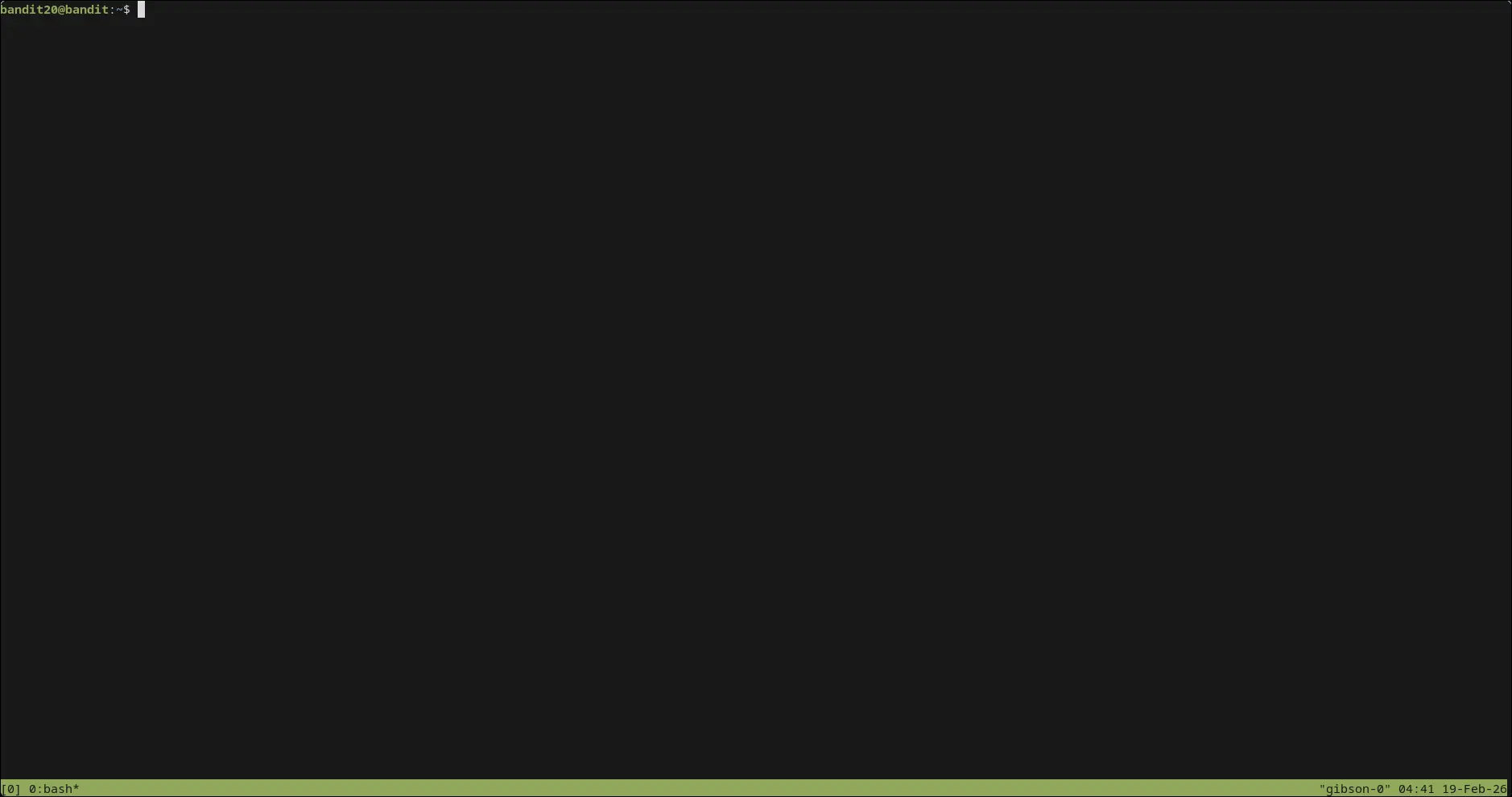 setelah itu tekan
 ctrl + b kemudian tekan c untuk menambah tab/jendela baru
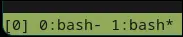 untuk berpindah tab, bisa tekan
 ctrl + b kemudian tekan angka di keyboard sesuai nomer tabnya
di tab pertama kita akan membuat TCP server :
bandit20@bandit:~$ nc -lv 1040
Listening on 0.0.0.0 1040
kemudian di tab kedua akan kita jadikan client dimana kita akan menjalankan file suconnect ke port server (tab pertama):
bandit20@bandit:~$ ./suconnect 1040di server (tab 1) kalian akan melihat notifikasi:
bandit20@bandit:~$ nc -lv 1040
Listening on 0.0.0.0 1040
Connection received on localhost 54730
kemudian masukan password dari level sebelumnya untuk dikirim ke client:
bandit20@bandit:~$ nc -lv 1040
Listening on 0.0.0.0 1040
Connection received on localhost 54730
0qXahG8ZjOVMN9Ghs7iOWsCfZyXOUbYO // password level sebelumnya
EeoULMCra2q0dSkYj561DX7s1CpBuOBt // output (password lv 21)